


Bitcoin ATM Zadar
The Bitcoin ATM in Zadar is near Hrvatska Lutrija.
Available cash:Loading...
This amount is available for immediate withdrawal.
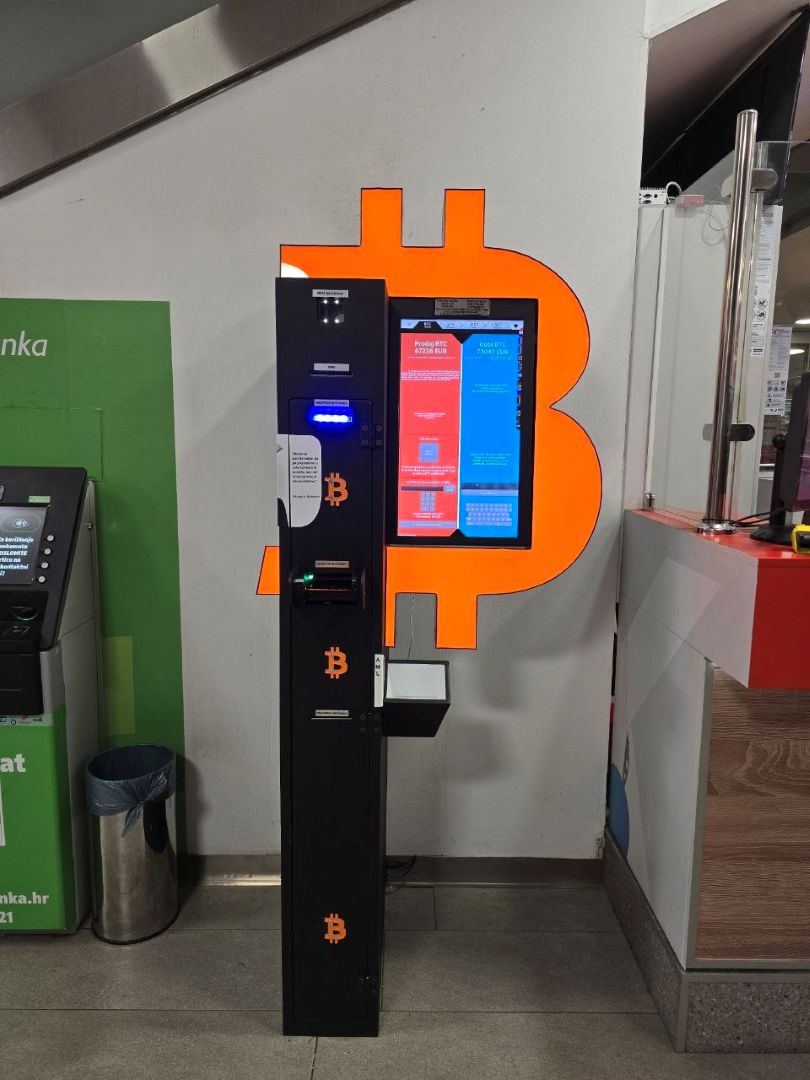
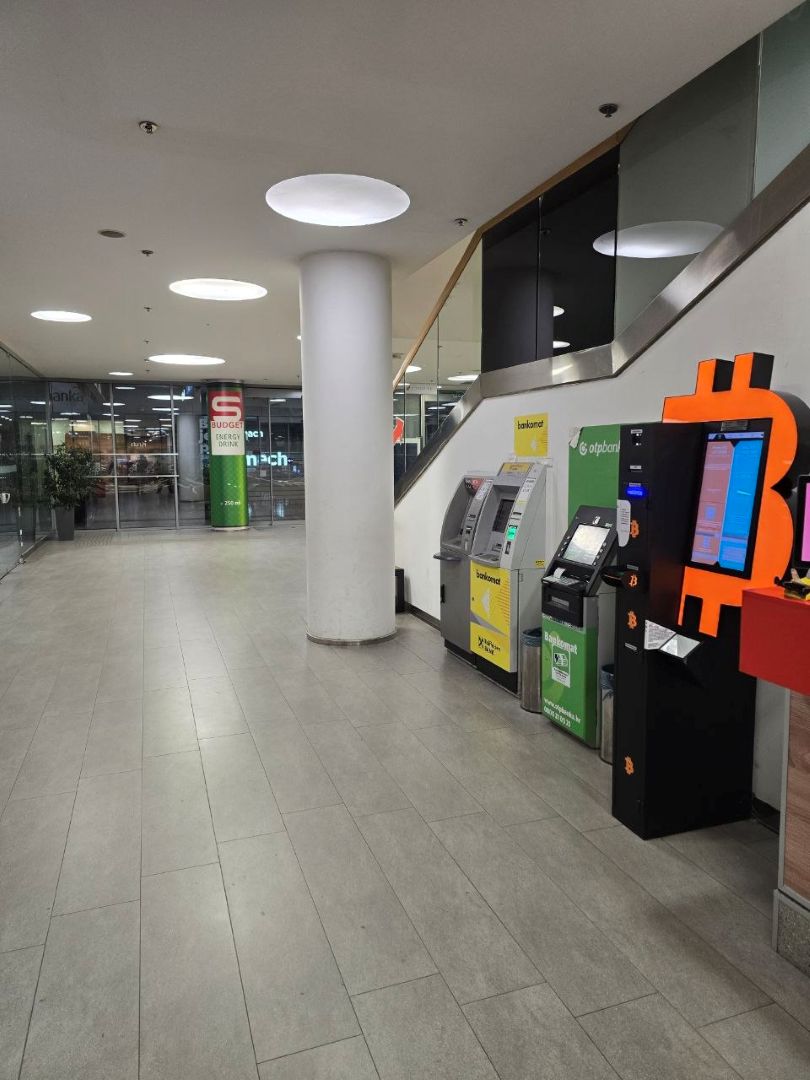
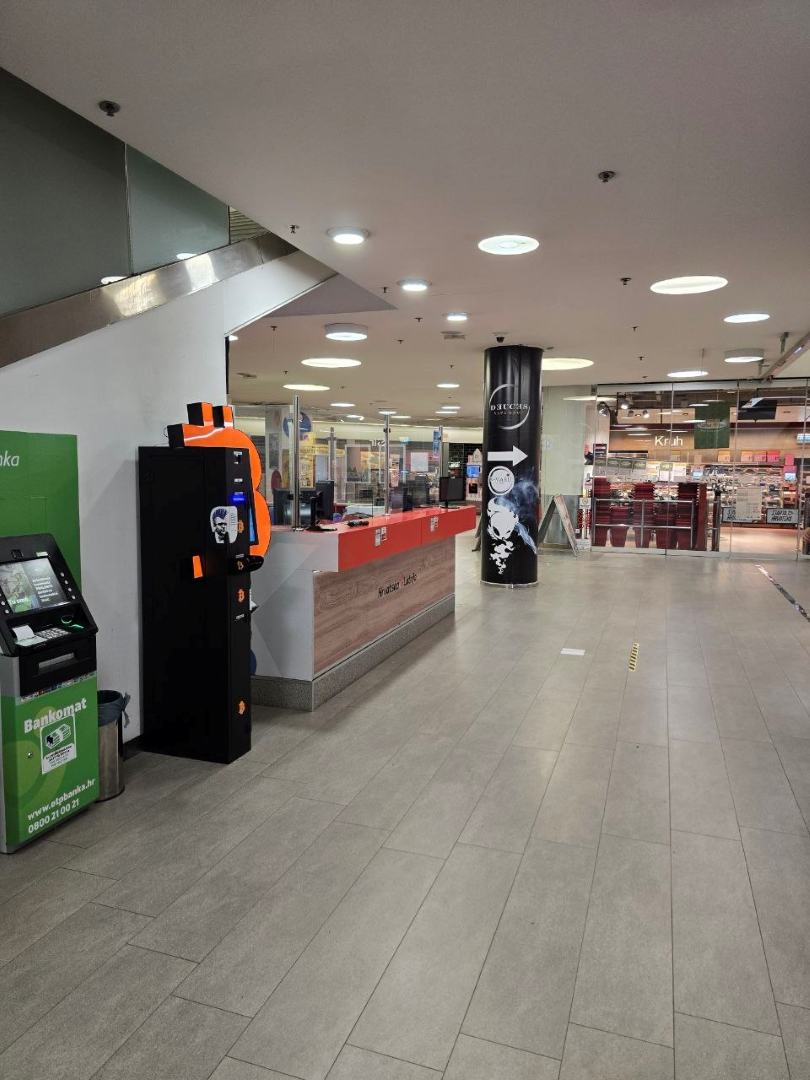
Loading...
Before Your Visit
Bitcoin ATM address
City Galleria, Polačišće ul. 4, 23000, Zadar, Croatia
Opening hours
The Bitcoin ATM is open Monday–Saturday from 9:00 AM to 9:00 PM and closed on Sundays.
Security
If you encounter any problems with the transaction, please contact the device provider's support team.
%20(1).png)
Click on the map above showing the location of the Bitcoin ATM to make it interactive.
Bitcoin ATM - prices
Check the current exchange rate and the provider's fees before starting the transaction.
An informed choice
Compare fees.
Select Bitcoin ATM.
Check the exchange rate, location, and terms and conditions before your visit. Prices and transaction processing are provided by the operator of the selected machine.
Find a Bitcoin ATM ↗Operator’s exchange rateBuy and sell rates differ.
Additional FeesCheck the flat fee and network charges.
Selected locationConditions may vary by device.
Locations, Conditions, and Sources of Comparison
About the Location
Cryptocurrency Exchange in Zadar: Location at City Galleria
Those looking to exchange cash for digital assets in Dalmatia can use the terminal located at City Galleria Zadar (4 Polačišće St.). This is a key location on the city’s financial map, bridging the traditional cash economy with the blockchain ecosystem. This location is particularly important for users who value access to physical service points in a tourist region.
Directions and facility specifications
City Galleria is a facility of strategic importance for transportation in Zadar. It is located in close proximity to the Main Bus Station (Autobusni kolodvor Zadar), making it easily accessible to travelers from other parts of Croatia.
- Parking facilities: The center features a large underground parking garage. This is a significant advantage compared to locations in the Old Town (Poluostrov), where parking is severely limited and requires payment.
- Terminal surroundings: The device is located inside a monitored complex, near service points and cafes. This allows users to wait comfortably for blockchain confirmations in an air-conditioned space.
- Digital accessibility: The building has good GSM signal coverage, which is essential for the smooth authorization of transactions from mobile wallets.
Asset Management and Cost Optimization
The device functions as a two-way terminal, which means users can buy and sell cryptocurrencies with payouts in euros (EUR). The system supports modern transfer standards, allowing users to choose the most efficient method for transferring funds:
In addition to the main Bitcoin and Ethereum networks, the terminal supports Layer 2 (L2) solutions such as Arbitrum and Optimism. Using these protocols when transferring ETH or stablecoins (USDT, USDC) allows transactions to be executed with significantly lower network fees (gas fees) than on the standard ERC20 chain. The TRC20 standard (Tron network) is also supported.
Practical aspects of executing the transaction
The exchange process relies on interaction with a touchscreen and a QR code scanner.
- Initiating the sale: The user sends the selected amount of cryptocurrency to an address generated by the system. Once the required confirmation has been received on the blockchain, the cash is ready for pickup. City Galleria offers numerous retail outlets (e.g., Konzum, Müller) where you can spend your time while the network verification process is underway (usually 10–40 minutes).
- Purchase Process: After scanning the recipient wallet address and inserting the EUR banknotes, the digital asset distribution process begins automatically. Before confirmation, the system displays a summary showing the exchange rate and the selected network.
Work Schedule and Support
The service desk is open during City Galleria's regular hours: Monday through Saturday from 9:00 AM to 9:00 PM. The mall is closed on Sundays and holidays.
Technical Support (Croatia): +385 17800033 | WhatsApp: +387 67 165 7112
International helpline (EN): +1 4792 5555 71
Email: [email protected] | Technical Support: Mon–Fri 10:00 AM–8:00 PM, Sat 10:00 AM–2:00 PM
How to buy bitcoin?
Choose a cryptocurrency
and insert cash into the device.
Scan the QR
From your own digital wallet.
Receive cryptocurrency
And a receipt as confirmation of the transaction.
See how it works
Three guides to help you prepare for a transaction.
How to buy cryptocurrency
Find out how to buy cryptocurrency with cash directly at Bitcoin ATM.
Watch on YouTube ↗How to sell cryptocurrency
Complete the cryptocurrency sale and cash withdrawal at the machine.
Watch on YouTube ↗Sell online. Collect cash at a Bitcoin ATM.
Start selling cryptocurrency online, then collect your cash at a Bitcoin ATM once the transaction is confirmed.
Watch on YouTube ↗
Bitcoin (BTC)

Ethereum (ETH)

Tether (USDT)

USDC

Litecoin (LTC)

Tron (TRX)

Polkadot (under repair)

Binance Coin
.png)
Solana
Reviews of this Bitcoin ATM

- City Galleria, Polačišće ul. 4, 23000, Zadar, Croatia
- The Bitcoin ATM in Zadar is near Hrvatska Lutrija.
- Available cash nowChecking available cash…
- You can find information about monitoring, the data controller, and the retention period for recordings in the privacy policy of the relevant operator.
- You can start selling online. Before picking up cash, check your payout status, available funds, and the device's operating hours— a guide on how to
- The Bitcoin ATM is open Monday–Saturday from 9:00 AM to 9:00 PM and closed on Sundays.
- The operator may require identity verification (KYC). Check the requirements before starting a transaction.
- Operator support:
Security information
Before making a transaction, check the exchange rate, fees, and on-screen messages. Make sure the selected cryptocurrency, network, and wallet address are correct.
Identity verification and limit requirements depend on the operator and applicable regulations. Bitomat.com helps you find and compare locations; device and transaction support are provided by the operator. Learn more about AML requirements here.

Contact
Need help with a transaction? Choose a channel to contact the device provider's support team.