


Bitcoin ATM Maribor
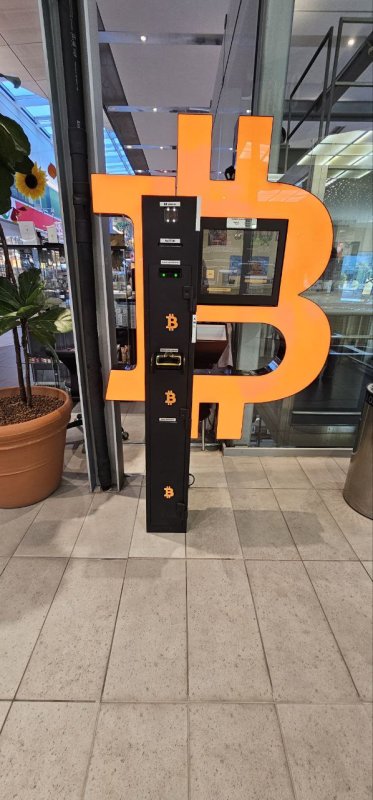
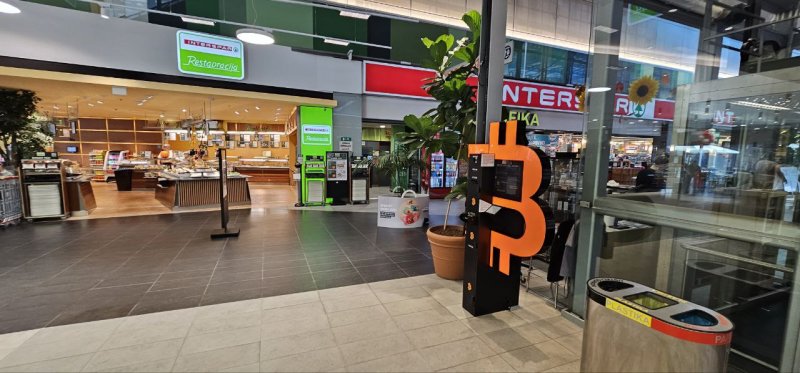
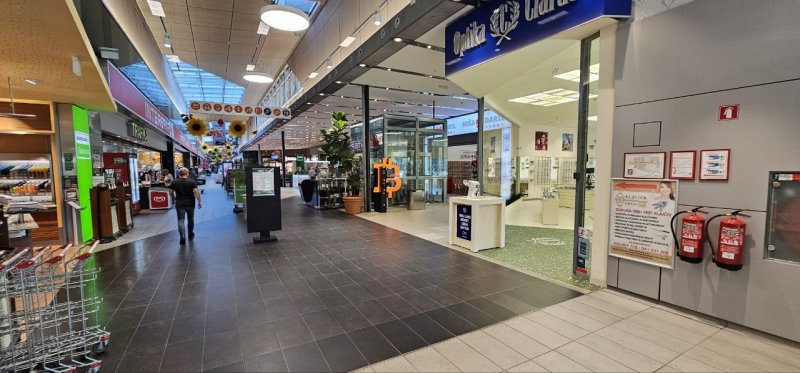
This Bitcoin ATM is offline for several months following the end of the transition period in Slovenia. Subscribe at bitomat.com/newsletter for information about when it returns online. The ATM is in the Supernova Qlandia Maribor shopping centre, near the Interspar supermarket and an optician’s shop.
Available cash:Loading...
This amount is available for immediate withdrawal.
Loading...
Before Your Visit
Bitcoin ATM address
Cesta proletarskih brigad 100, 2000 Maribor, Slovenia
Opening hours
The mall is open Monday through Saturday between 09:00 and 21:00.
Security
If you encounter any problems with the transaction, please contact the device provider's support team.
%20(1).png)
Click on the map above showing the location of the Bitcoin ATM to make it interactive.
Bitcoin ATM - prices
Check the current exchange rate and the provider's fees before starting the transaction.
An informed choice
Compare fees.
Select Bitcoin ATM.
Check the exchange rate, location, and terms and conditions before your visit. Prices and transaction processing are provided by the operator of the selected machine.
Find a Bitcoin ATM ↗Operator’s exchange rateBuy and sell rates differ.
Additional FeesCheck the flat fee and network charges.
Selected locationConditions may vary by device.
Locations, Conditions, and Sources of Comparison
About the Location
Cryptocurrencies in Maribor – Supernova Tabor (100 Cesta proletarskih brigad)
Residents of Maribor and travelers passing through northeastern Slovenia can use the digital currency exchange located in the Supernova Maribor shopping center (formerly Mercator Center Tabor) at Cesta proletarskih brigad 100 (2000 Maribor). This is one of the key retail locations in the Tabor district, offering excellent access from the city’s main thoroughfares and access to a large, free parking lot for customers.
The device is located within a secure area of the shopping mall, allowing transactions to be conducted in a comfortable setting. The kiosk supports two-way exchange of assets for cash in EUR (Euro). This location is particularly convenient for people who want to quickly buy or sell digital currencies while doing their daily shopping, without having to use traditional bank accounts.
Supported assets and network technologies
The terminal supports the most popular digital assets, such as Bitcoin (BTC), Ethereum (ETH), Litecoin (LTC), and the stablecoins USDT and USDC. The system offers a choice of multiple transfer standards, allowing you to optimize transfer time and costs. Supported networks include:
- Main standards: TRC20, ERC20, Polygon, and BNB Smart Chain (BSC).
- Layer 2 solutions: Arbitrum and Optimism (minimizing network fees/gas fees).
How do I buy cryptocurrency with cash?
- On the terminal screen, select your preferred cryptocurrency and the network that matches your wallet.
- Use the built-in scanner to scan the QR code for your destination.
- Carefully check the information displayed on the screen: the address, the selected network, and the current exchange rate.
- Insert the EUR banknotes into the cash acceptor and confirm your purchase.
- Please wait for the units to be automatically transferred to your wallet once the session has been processed.
How do I convert assets into cash (EUR)?
- Initiate the sale directly at the terminal, or use the option to prepare the transaction via the online interface.
- Select the asset you want to sell and specify the amount you intend to receive in cash.
- Send the selected number of digital units to the unique wallet address generated for this session.
- Please wait for the required confirmations on the blockchain (typically 10 to 40 minutes).
- Once the transaction status has been confirmed, scan the code you received at the terminal and collect your EUR banknotes.
Technical Support and Contact Information
If you have questions regarding the technical operation of the device or need to check the status of network confirmations, technical support is available at +1 4792 5555 71. You can also send inquiries via email to [email protected]. Support is available Monday through Friday from 10:00 AM to 8:00 PM and Saturdays from 10:00 AM to 6:00 PM (service provided in English).
How to buy bitcoin?
Choose a cryptocurrency
and insert cash into the device.
Scan the QR
From your own digital wallet.
Receive cryptocurrency
And a receipt as confirmation of the transaction.
See how it works
Three guides to help you prepare for a transaction.
How to buy cryptocurrency
Find out how to buy cryptocurrency with cash directly at Bitcoin ATM.
Watch on YouTube ↗How to sell cryptocurrency
Complete the cryptocurrency sale and cash withdrawal at the machine.
Watch on YouTube ↗Sell online. Collect cash at a Bitcoin ATM.
Start selling cryptocurrency online, then collect your cash at a Bitcoin ATM once the transaction is confirmed.
Watch on YouTube ↗
Bitcoin (BTC)

Ethereum (ETH)

Tether (USDT)

USDC

Litecoin (LTC)

Tron (TRX)

Polkadot (under repair)

Binance Coin
.png)
Solana
Reviews of this Bitcoin ATM

- Cesta proletarskih brigad 100, 2000 Maribor, Slovenia
- This Bitcoin ATM is offline for several months following the end of the transition period in Slovenia. Subscribe at bitomat.com/newsletter for information about when it returns online. The ATM is in the Supernova Qlandia Maribor shopping centre, near the Interspar supermarket and an optician’s shop.
- Available cash nowChecking available cash…
- You can find information about monitoring, the data controller, and the retention period for recordings in the privacy policy of the relevant operator.
- You can start selling online. Before picking up cash, check your payout status, available funds, and the device's operating hours— a guide on how to
- The mall is open Monday through Saturday between 09:00 and 21:00.
- The operator may require identity verification (KYC). Check the requirements before starting a transaction.
- Operator support:
Security information
Before making a transaction, check the exchange rate, fees, and on-screen messages. Make sure the selected cryptocurrency, network, and wallet address are correct.
Identity verification and limit requirements depend on the operator and applicable regulations. Bitomat.com helps you find and compare locations; device and transaction support are provided by the operator. Learn more about AML requirements here.

Contact
Need help with a transaction? Choose a channel to contact the device provider's support team.